
When a character LCD is discontinued, we start with a practical question: can we replace the display while keeping the existing product structure and PCB?
For equipment already in production, these details matter. The replacement must fit the enclosure, connect to the host board and display the information your application needs.
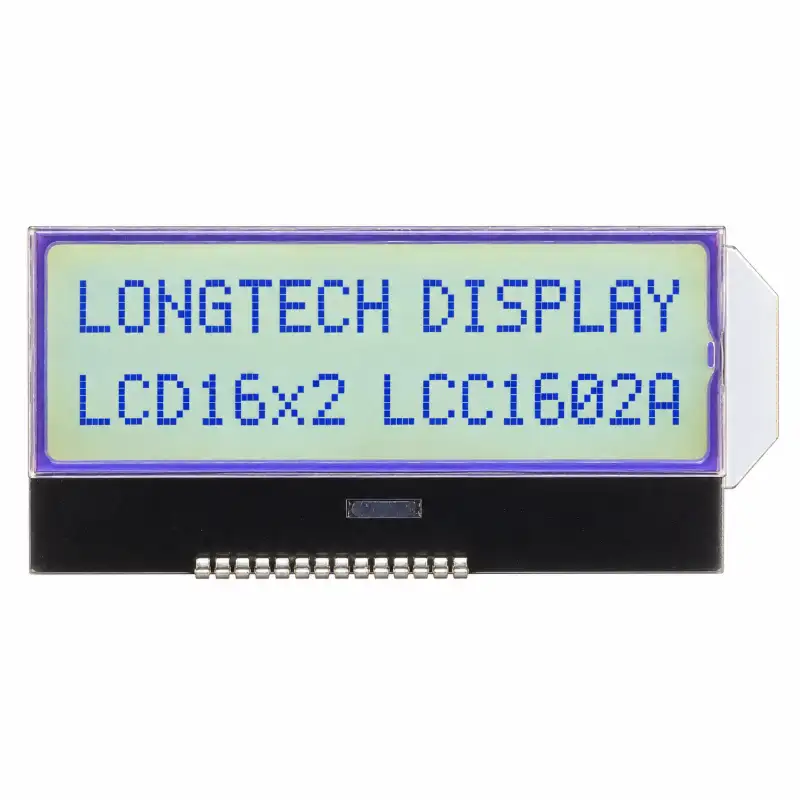
Our Longtech LCC1602A offers a replacement path for matching NT7605-based designs. We retain the mechanical dimensions and 14-pin layout of our original version, while using the ST7032S controller.
Once we confirm that your original display matches this version, you can retain the product structure and PCB. The display-related firmware needs to be updated, and we can assist your engineering team with the change.
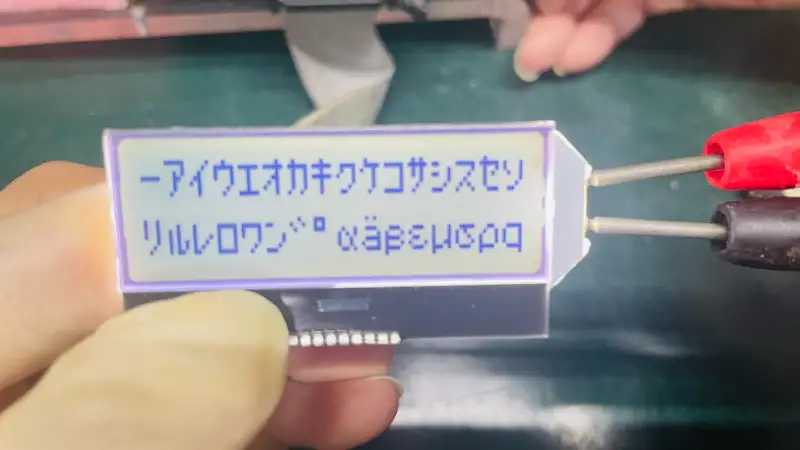
What We Check Before Recommending a Replacement
We begin with your original LCD drawing or datasheet. The display format gives us a starting point, but we also need the mechanical and electrical details.
Our review covers:
- Mechanical fit: glass dimensions, total assembly thickness, pin positions and clearance inside the enclosure.
- Display window: viewing area, character size and alignment with the front panel.
- Electrical connection: pin definitions, pin pitch, supply voltage and interface.
- Display appearance: display mode, text and background colors, and backlight requirements.
- Controller requirements: the original controller and the display routines used by your firmware.
We also confirm your application’s operating conditions and intended supply period. These help us discuss a suitable sample and production plan.
Our LCC1602A Replacement Version
The table below compares our legacy LCC1602A design with the ST7032S replacement version discussed here.
| Item | Legacy LCC1602A | ST7032S Replacement Version |
|---|---|---|
| Display format | 16 characters × 2 lines | Unchanged |
| Construction | Chip-on-glass, or COG | Unchanged |
| LCD glass dimensions | 49.7 × 25.3 mm | Unchanged |
| Viewing area | 45.7 × 14.3 mm | Unchanged |
| Character size | 2.21 × 4.68 mm | Unchanged |
| LCD signal connection | 14-pin layout | Same pin layout |
| Host interface | 4-bit / 8-bit parallel | Corresponding parallel version |
| Controller | NT7605 | ST7032S |
| Display firmware | Developed for NT7605 | Updates required |
You can review the mechanical drawing and legacy pin definitions in our LCC1602A reference drawing.
That drawing identifies the original NT7605 controller. The replacement version we supply for this application uses ST7032S. We confirm the supplied version with your team before arranging samples.
The 49.7 × 25.3 mm figure describes the LCD glass. We check the complete assembly, including the backlight and pin clearances, against your installation space.
Can You Retain the Existing PCB and Product Structure?
Yes, when your original display matches the mechanical and electrical requirements of this replacement version.
We preserve the original LCC1602A dimensions and pin layout. This lets a matching design retain its enclosure and PCB while adopting the new controller version.
We check each pin assignment before recommending the module. For example, the first three pins in our legacy drawing are VSS, V0 and VDD. A display described as “14-pin” still needs to be compared against those definitions.
We also review the supply and interface requirements. If you send us the original drawing and clear product photos, we can help identify the items that need confirmation.
What Changes When We Use ST7032S?
The original NT7605 controller has been discontinued. We use ST7032S as the replacement controller in this LCC1602A version.
Your display-related firmware needs to be updated. We review the initialization and display-control routines with your engineering team and help identify the changes needed for the supplied version.
During evaluation, we recommend checking startup behavior, text output, line addressing and any custom characters used in your application. Your team should also confirm contrast and backlight operation in the assembled product.
If you encounter technical questions during the migration, we can assist with the display-related changes.
How We Work Through Sample Evaluation
We arrange an evaluation batch after the specification and display appearance are confirmed. Your team can then test the module in the actual equipment.
We suggest the following sequence:
- Confirm the fit. Check the glass, complete assembly, pin positions and display-window alignment.
- Update the display firmware. Adapt the routines for the supplied ST7032S version.
- Check the displayed content. Verify both lines, the characters and symbols used by your application, and normal display updates.
- Review the appearance. Confirm text color, background color, contrast and backlight performance.
- Approve the evaluated version. Confirm the results before proceeding with production orders.
We support the technical review throughout this process. The sample stage gives your team a practical way to confirm the replacement in your own design.
Send Us Your Original LCD Details
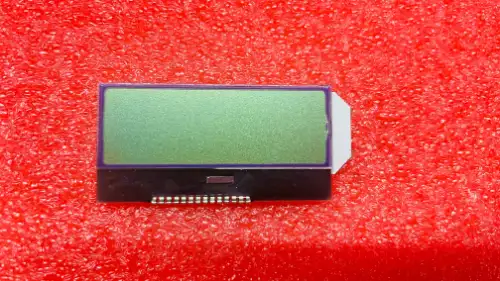
If you need a 16×2 COG LCD replacement, we can begin with your current display’s part number, drawing and clear photos.
Please also share the interface, operating voltage, display and backlight requirements, sample quantity and estimated annual demand. Your required supply period helps us discuss the production plan.
We will review whether our LCC1602A replacement version matches your application and explain the display-related changes needed for evaluation.
